
Home / Platform / Industrial Inspection Management Software
02 / INSPECTION MANAGEMENT
Inspection management.
Every finding in place.
Connect inspection findings, visual evidence and asset context so your team can understand the condition and follow the work through close-out.
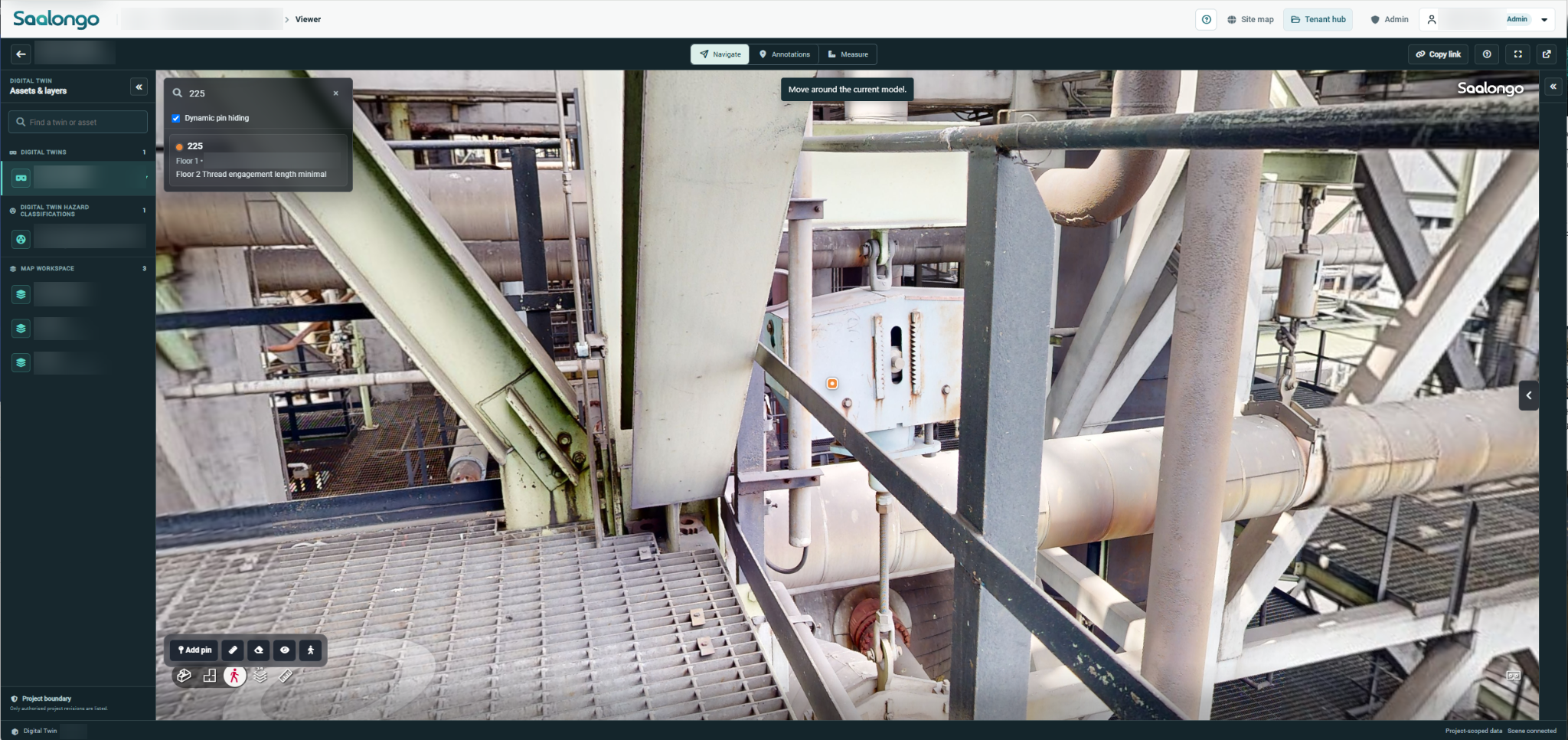
Actual Saalongo spring-support inspection view. Identifying details blurred. View full size.
FROM OBSERVATION TO ACTION
Give each finding
the context it needs.
Inspection information becomes more useful when the team can identify the asset, locate the observation and review the evidence together. Saalongo brings these parts into the same visual workflow.

Locate
Place the finding in the asset or site context so the team can understand where it belongs.
Review
Bring photographs, annotations and supporting information into the inspection discussion.
Follow through
Connect the finding with the work and evidence needed for resolution.
SAALONGO IN USE
See condition.
Locate the finding.
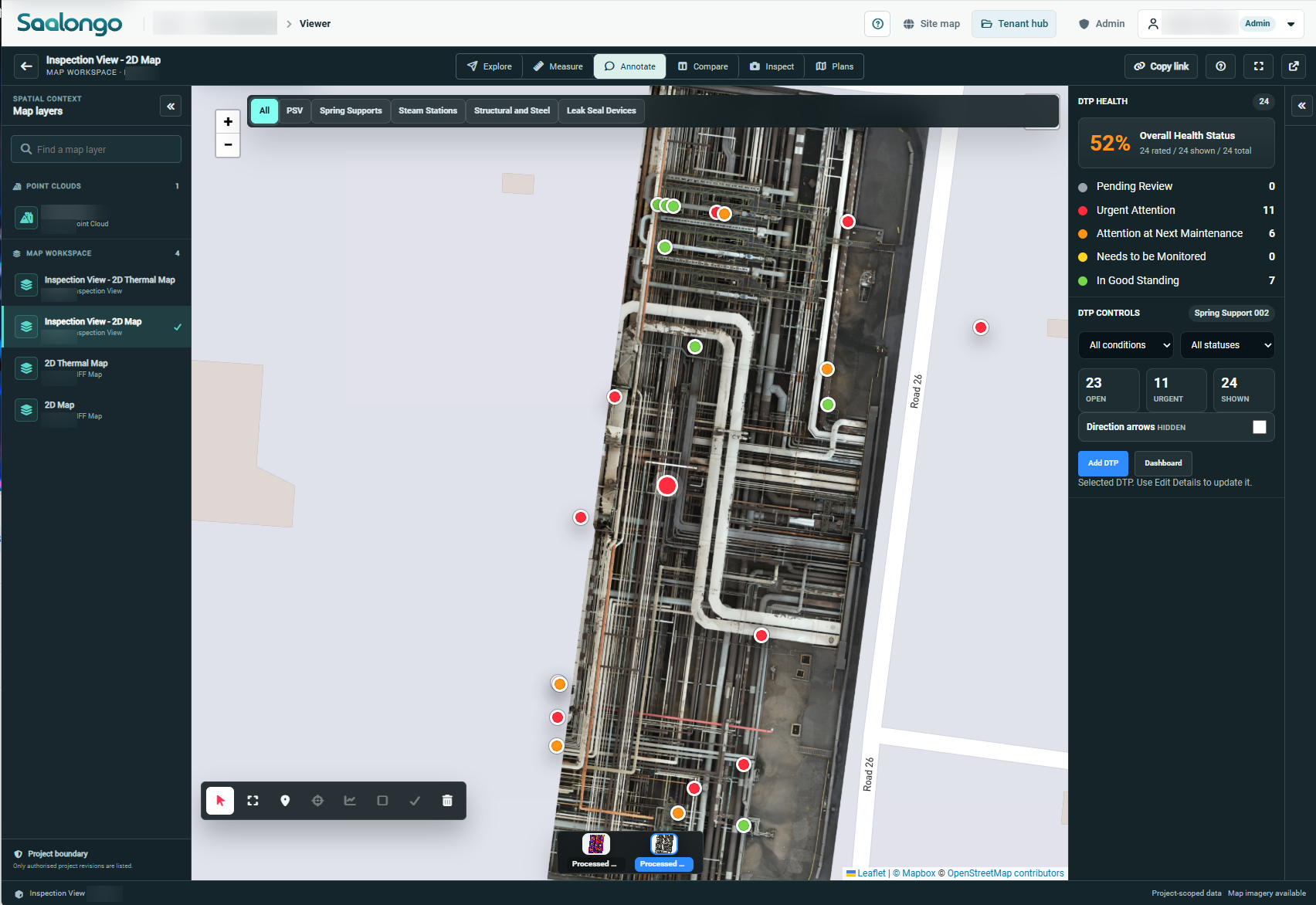
Use a map view to review inspection categories, condition markers and the records that need attention.
INDUSTRIAL INSPECTION WORKFLOWS
From individual supports
to major structures.

Spring supports
Organise support locations, inspection imagery, condition observations and supporting records.
Civil structures
Review captured surfaces and locate visible anomalies within the wider structure.

Electrical infrastructure
Connect equipment context with inspection evidence and observations requiring follow-up.
SAALONGO IN USE
Record the finding.
Keep the evidence.
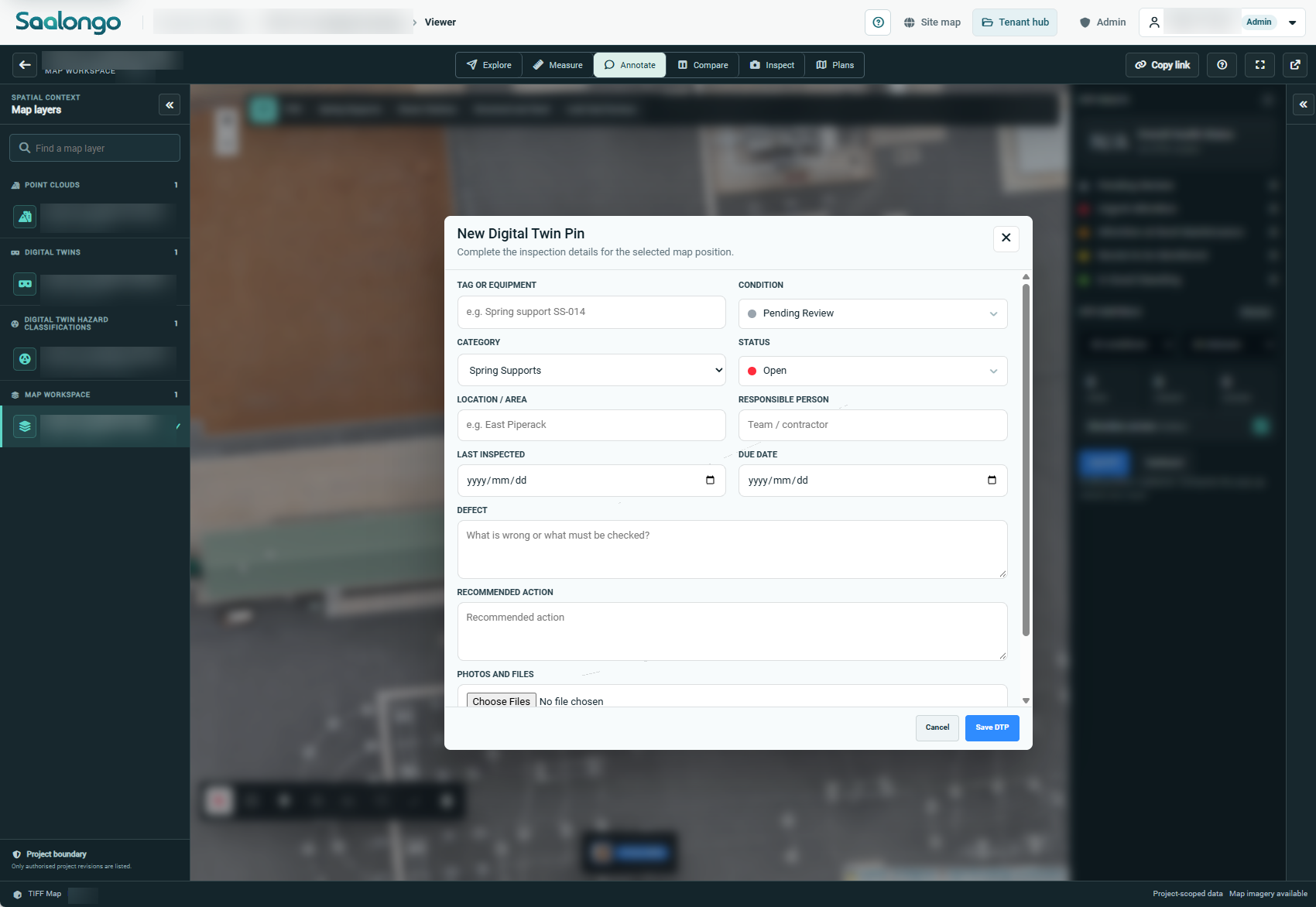
Capture the equipment, condition, status, responsible team, dates, defect, recommended action and supporting files in the inspection record.
AN EVIDENCE-LED REVIEW
Make the next review
easier to understand.
01
Identify the asset
Start with a clear asset reference and the relevant spatial context.
02
Record the finding
Connect the observation to its imagery and supporting information.
03
Review the response
Use the shared record to discuss the issue and the action it requires.
04
Retain close-out evidence
Keep the record of completed work available for subsequent review.
YOUR QUESTIONS
A little more context.
Can drone inspection imagery be used?
Drone imagery can form part of the visual evidence used in Saalongo. The capture plan and image quality should suit the asset and inspection objective.
Does the platform replace engineering judgment?
Inspection decisions remain with the responsible people. Saalongo supports their work by organising context, findings and evidence.
Can findings be reviewed in 3D context?
The platform connects inspection information with spatial views where suitable capture data and project configuration are available. A demo can show the workflow relevant to your assets.
CONNECTED CAPABILITIES
Keep exploring.
Industrial Digital Twin Software
Explore industrial assets in their physical context. Combine captured reality and engineering information in a browser-based digital twin.
Construction QA/QC & Handover Software
Bring test results, inspection records and QC packs into the project context as work progresses, supporting a clearer path to handover.
Industrial Digital Twin & Inspection Use Cases
Explore how spatial context, inspection evidence and project records can come together around specific engineering workflows.
SEE IT WITH YOUR TEAM
Make it relevant
to your next project.
Tell us about your assets and the workflow you want to improve. We can focus the demonstration on that requirement.