
Home / Platform / Industrial Digital Twin Software
01 / INDUSTRIAL DIGITAL TWINS
Industrial digital twins.
Real engineering context.
Explore industrial assets in their physical context. Combine captured reality and engineering information in a browser-based digital twin.
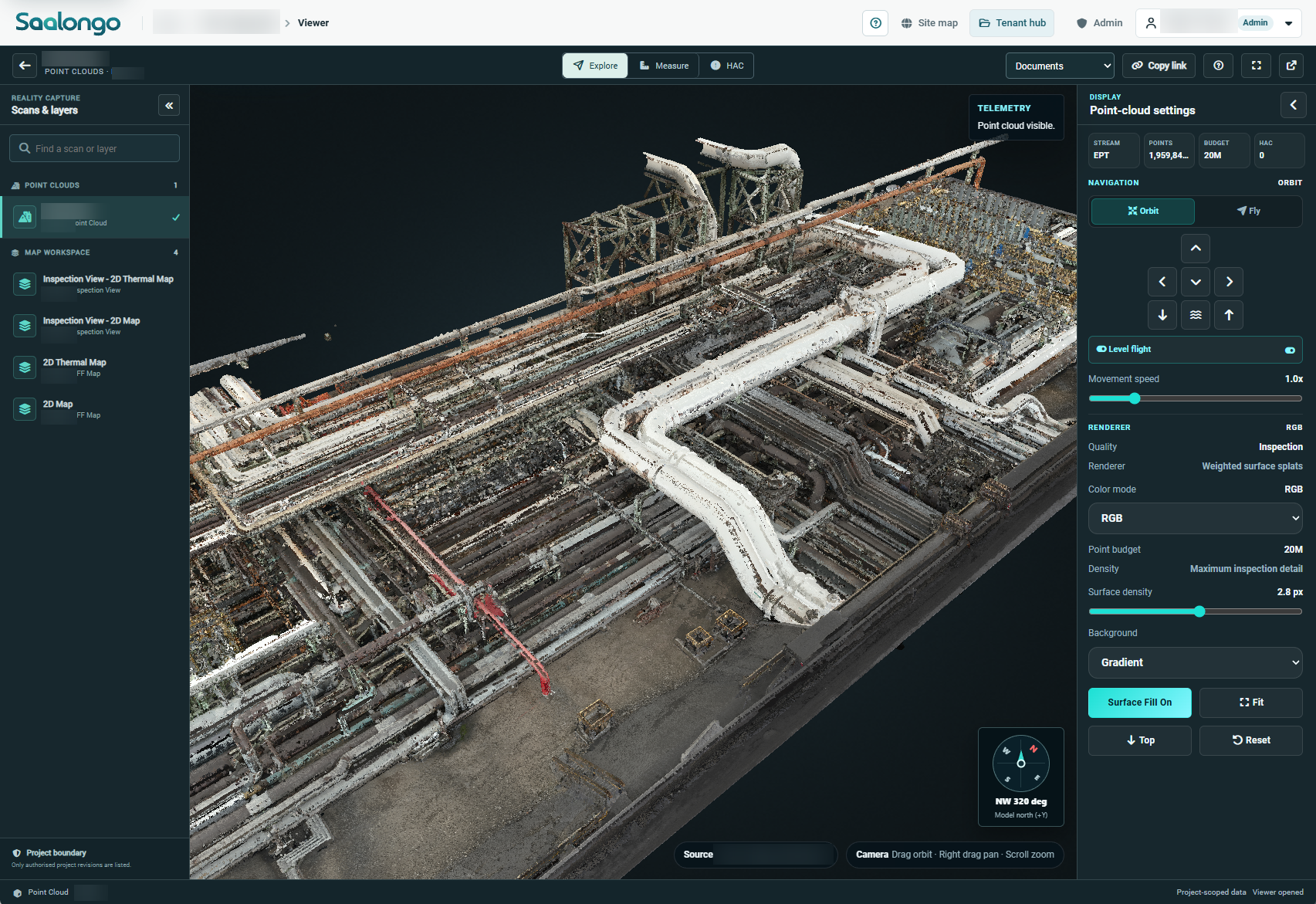
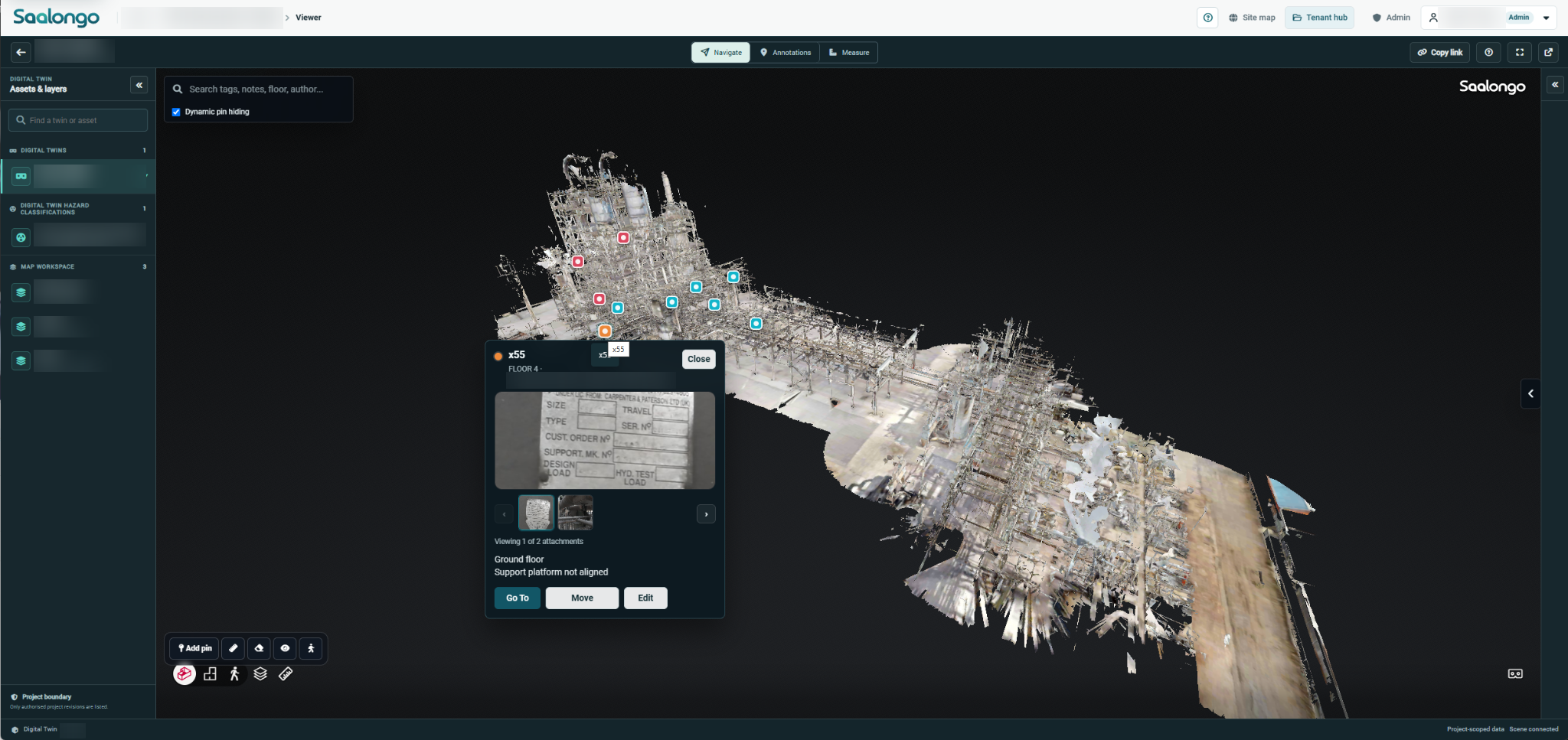
Actual Saalongo point-cloud viewer. Identifying details blurred. View full size.
CONTEXT FOR ENGINEERING DECISIONS
Understand the setting.
Then inspect the detail.
A drawing or photograph can answer one question while leaving the surroundings unclear. A spatial view helps teams understand the asset, its location and the work area around it before progressing a review.
Asset context
Move between the facility, the work area and the asset being discussed.

Remote review
Give dispersed project teams access to captured site context in the browser.
Connected information
Link the spatial view to supporting inspection evidence and project documents.
SAALONGO IN USE
See the plant
in spatial context.
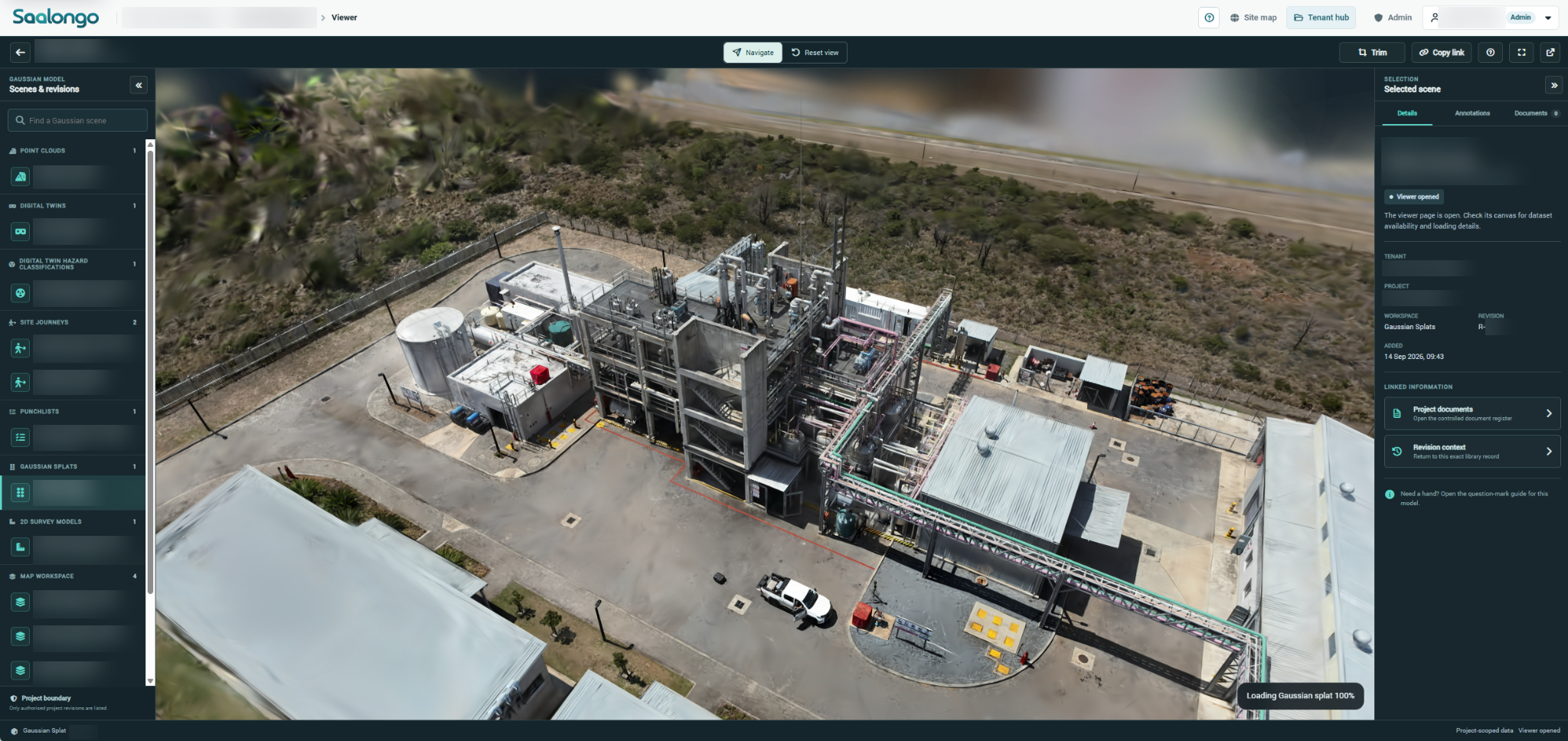
A Gaussian splat provides another way to explore the captured industrial environment.
MULTIPLE WAYS TO SEE THE SITE
Use the representation
that suits the task.
3D models & point clouds
Review geometry and captured surfaces from drone surveys and terrestrial scanning.
Gaussian splats
Explore scene representations created from captured imagery.

360° imagery & site journeys
Revisit captured viewpoints and follow the visual context of a site walkthrough.
PRACTICAL APPLICATIONS
Built for the questions
industrial teams ask.
01
Brownfield engineering
Understand the existing environment around planned modifications and equipment.
02
Inspection review
Orientate the team and connect detailed findings to the broader asset.
03
Construction reviews
Use captured views to discuss progress and changes in the work area.
04
Asset information
Find the documents and evidence associated with the physical asset.
SAALONGO IN USE
A finding belongs
to its location.
Review an inspection pin, its attachments and its position within the wider 3D model.
FLEXIBLE SITE CAPTURE
Your scan data.
Your choice of provider.
Use existing scan data, work with a provider of your choice, or ask Proconics Advanced Solutions to scan your site.
When required, the team can assist with scanning operating instructions and workflows to help you get the best results for the intended use.
Bring existing scans
Put previously captured site data to work. The team can help review the information and preparation needed for your intended use.

Choose your provider
Work with any scanning provider, including your existing survey or reality-capture partner.
Scan with PAS
Proconics Advanced Solutions provides scanning services for clients who want capture support.
YOUR QUESTIONS
A little more context.
What is an industrial digital twin in Saalongo?
It is a digital representation of an industrial asset or site, connected with the information and work relating to it. The available detail depends on the source data and project setup.
Does a digital twin automatically show live conditions?
Captured imagery and geometry represent the site at the time of capture. Keeping that representation current requires an update process. Any live data requirement should be assessed separately with the team.
How accurate is the model?
Accuracy depends on the capture method, equipment, control, processing and quality assurance. Agree the required accuracy and verification method for the intended engineering use before capture.
Do we have to use Proconics Advanced Solutions for scanning?
No. You can use existing scan data or appoint any scanning provider. Proconics Advanced Solutions’ scanning services are an available option, with operating instructions and workflow guidance provided when required.
Does Saalongo integrate with Matterport?
Yes. Saalongo integrates with Matterport. Bring an example of your Matterport content to a demonstration to explore how it fits into your spatial workflow.
CONNECTED CAPABILITIES
Keep exploring.
Industrial Inspection Management Software
Connect inspection findings, visual evidence and asset context so your team can understand the condition and follow the work through close-out.
Asset & Engineering Document Management
Connect drawings, inspection evidence and project records with the industrial assets and work areas they describe.
Construction Progress & Punch List Software
Connect construction progress, punch items and completion evidence with the physical context of the work.
SEE IT WITH YOUR TEAM
Make it relevant
to your next project.
Tell us about your assets and the workflow you want to improve. We can focus the demonstration on that requirement.