
Home / Industrial Digital Twin & Inspection Use Cases
SAALONGO IN PRACTICE
Built around
real industrial work.
Explore how spatial context, inspection evidence and project records can come together around specific engineering workflows.
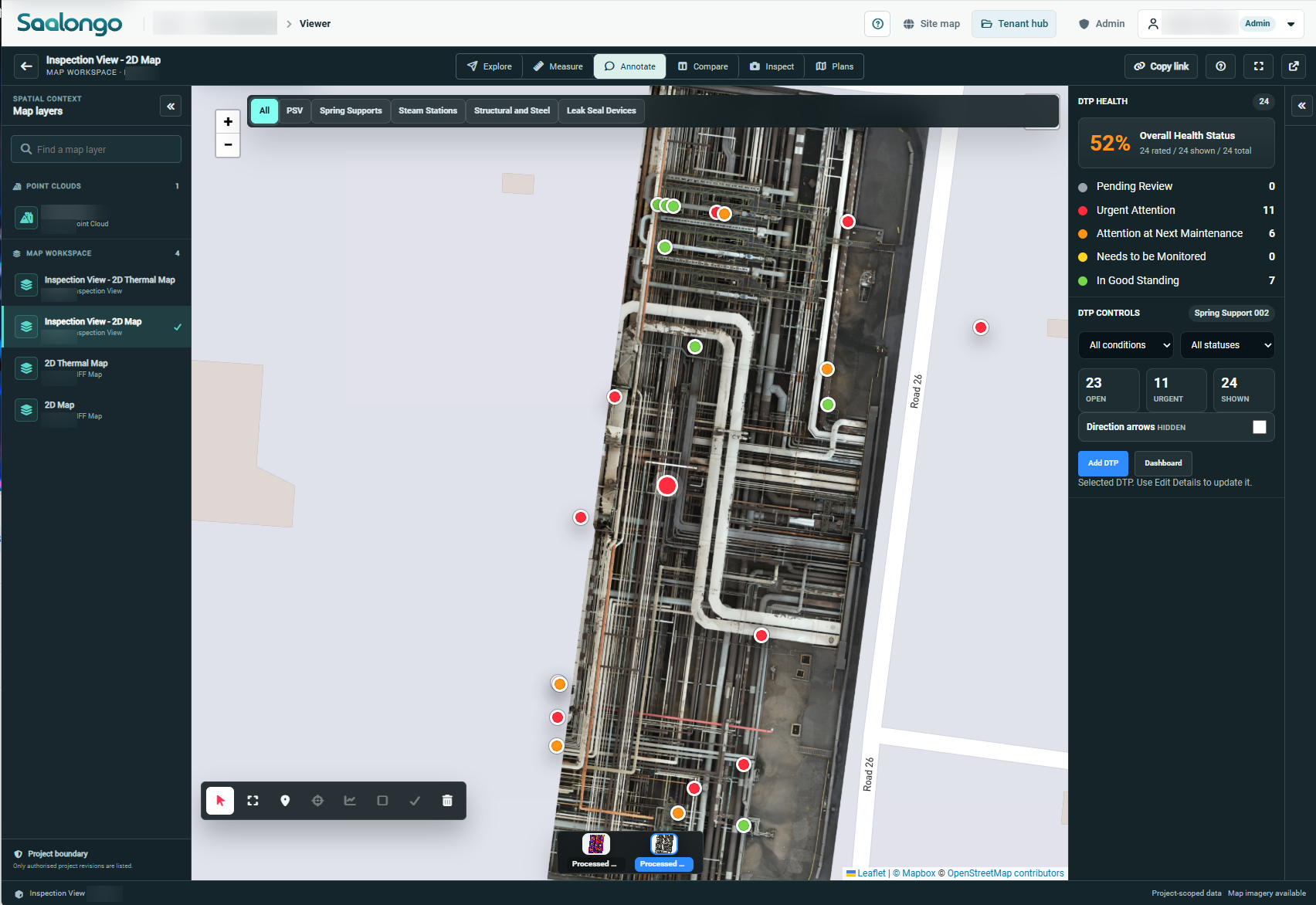
Actual Saalongo inspection workspace. Figures describe the example dataset. Identifying details blurred. View full size.
SPRING SUPPORT INSPECTIONS
Give every support
an inspection context.
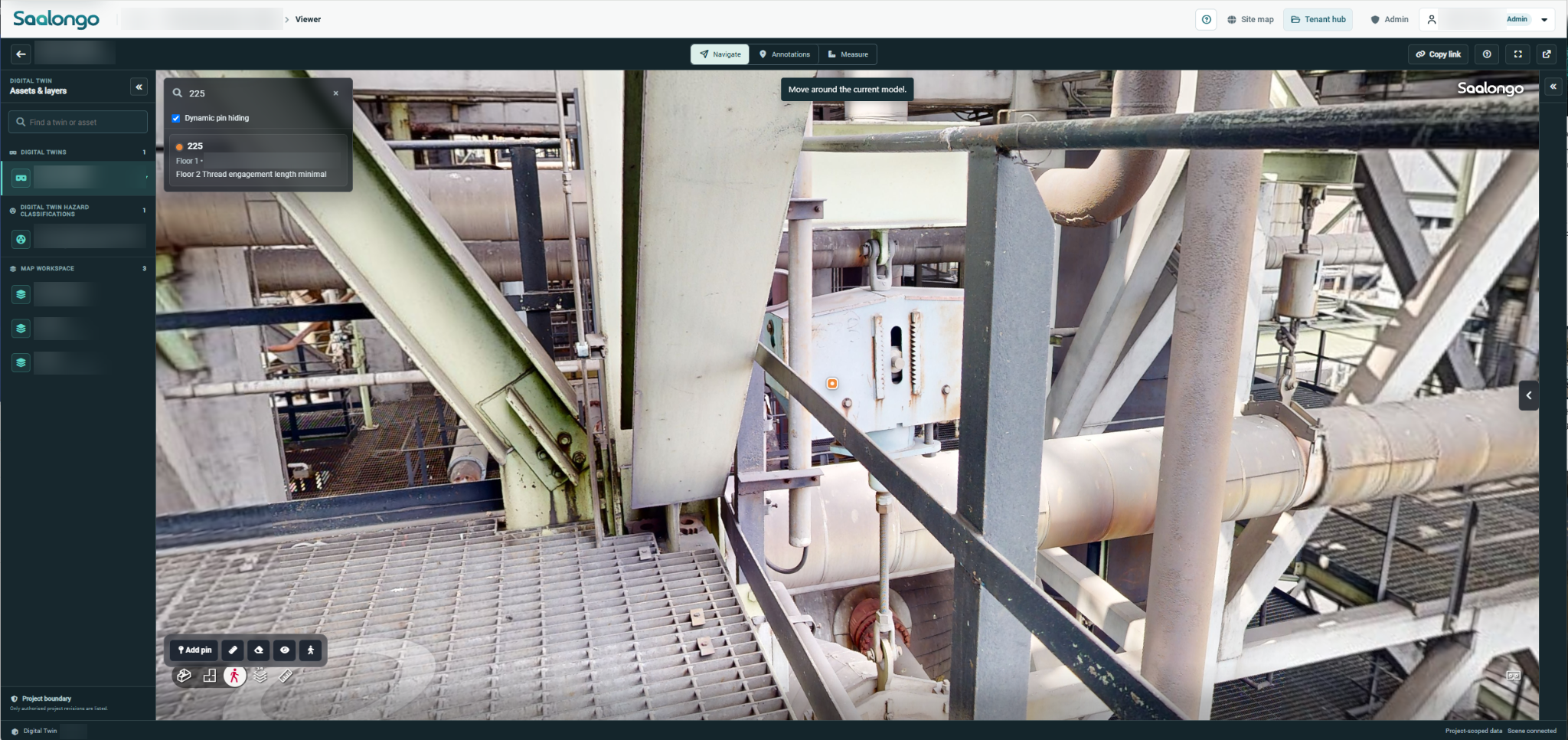
Use a spatial asset record to locate spring supports and bring visual observations, condition information and supporting evidence into the review.

Start with location
Understand the support within the plant and asset hierarchy.

Review the evidence
Bring relevant imagery and observations into the assessment.

Support follow-up
Keep the finding and supporting records connected through the work.
CIVIL & STRUCTURAL INSPECTIONS
Connect surface detail
with the whole structure.
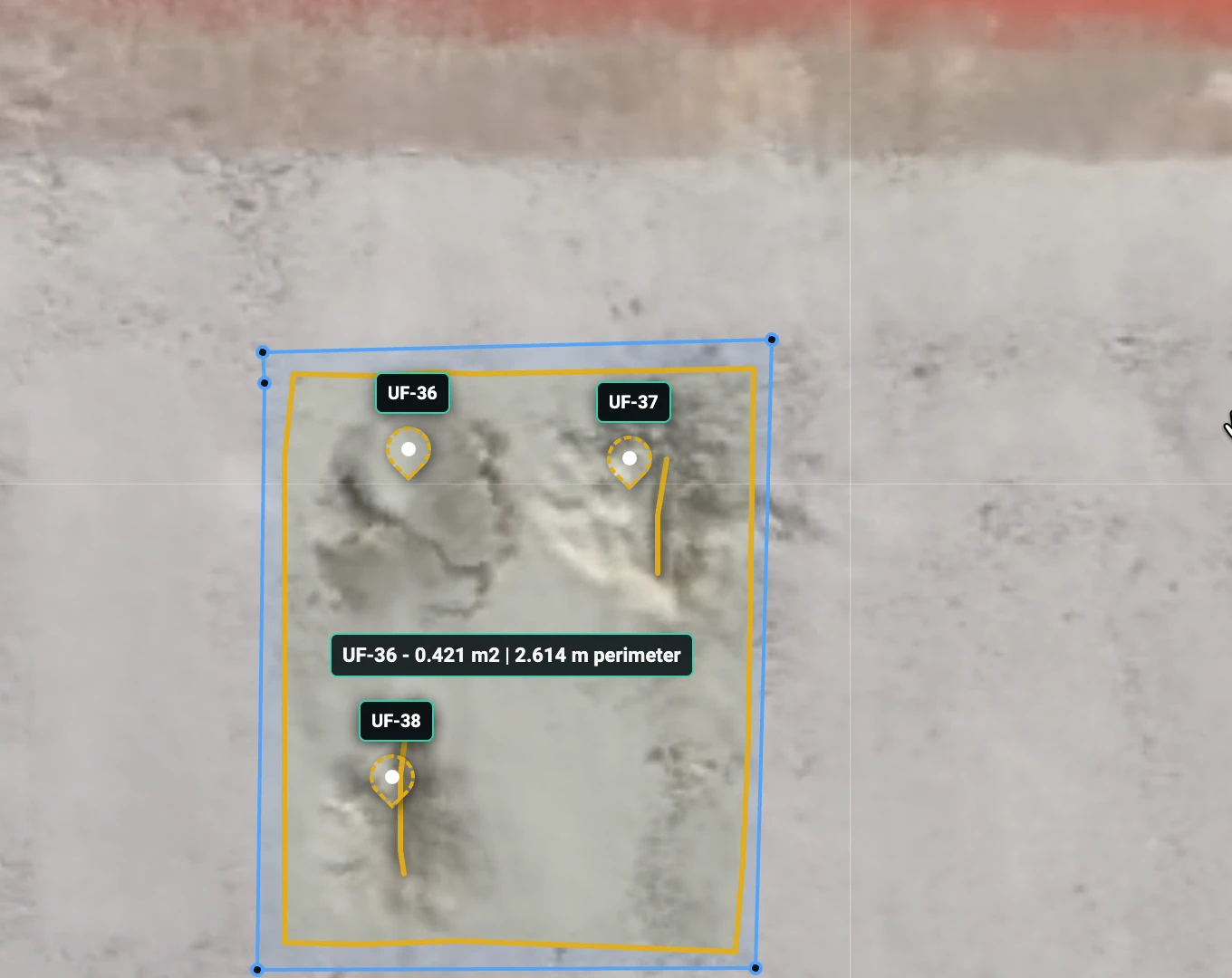
Review detailed imagery of captured structures and relate visible anomalies to their wider position. Spatial context helps teams move between an overview and the evidence requiring attention.

Asset overview
Orientate the review using the captured structure.
Detailed evidence
Inspect relevant images and annotated observations.

Shared assessment
Use the same visual context when discussing findings and further investigation.
ELECTRICAL INFRASTRUCTURE
Keep equipment
and evidence together.
Bring substation and electrical asset context into a browser-based workspace, supporting engineering review and the organisation of inspection and project information.
CONSTRUCTION & HANDOVER
Follow the work.
Retain its evidence.
Connect progress reviews, punch items, test records and QC packs with the physical work. Build a project record that can support completion and future asset review.
01

See progress
Review captured views and the activity in the work area.
02
Locate punch items
Place outstanding issues in the context of the asset.
03
Connect quality records
Bring test records and QC documentation into the project.
04

Prepare the handover record
Keep the information supporting completion together.
YOUR QUESTIONS
A little more context.
Can we see a workflow relevant to our industry?
Tell the team which assets you manage and the problem you want to address. A demonstration can be focused on that workflow.
Can we start with a small pilot?
Discuss a defined asset group, work area or inspection workflow with the team. A focused scope can help establish the data requirements and the intended result.
CONNECTED CAPABILITIES
Keep exploring.
Industrial Inspection Management Software
Connect inspection findings, visual evidence and asset context so your team can understand the condition and follow the work through close-out.
Construction Progress & Punch List Software
Connect construction progress, punch items and completion evidence with the physical context of the work.
Construction QA/QC & Handover Software
Bring test results, inspection records and QC packs into the project context as work progresses, supporting a clearer path to handover.
SEE IT WITH YOUR TEAM
Make it relevant
to your next project.
Tell us about your assets and the workflow you want to improve. We can focus the demonstration on that requirement.